|
You have decided to raise funds to help children in need pay for school supplies. You will make and sell fresh fruit juices and smoothies at the next important school event. Choose at least 8 items from the Fruit Stand Shopping List for your fruit juice and smoothie creations. Create a spreadsheet and bar graph. Today you will also learn how to merge cells in your title. 
0 Comments
We will be working on using Excel and creating graphs. You will use this list to choose items for your spreadsheet. You are having a party and have invited several classmates, family members and friends. Choose at least 6 different foods, drinks, and party gifts that you think your friends will enjoy. Create a simple spreadsheet and chart using their chosen items, then show your teacher.
3rd and 4th graders are learning how to research. We've been working on using precise words when searching and we've been working on knowing what is true vs false information on the internet. Here are a few fun examples of websites that look like they are true but we know they are not because there are no other sources proving it.   Let's have some fun with the Santa Tracker! K-1st start with #5 or 6. 2nd-4th grade can choose any. Have fun!!  Dec. 5-11th is Computer Science Education Week. For the 4th straight year Willard South K-4th graders in computer lab will join tens of millions of students in 180+ countries participating in The Hour of Code.
In this hour students learn the basics of computer programming, and that no matter who you are or where you come from, you have the chance to make a difference and change the world! Check it out under your grades blog! Let's have some fun and make some silly turkeys together!  Here we are again nearing the end of Summer and Back to School is just around the corner! A little less than a month and we will be back at Willard South in a new classroom learning new things! I look forward to seeing all of you in August! To see the full 2016/2017 district calendar, click here! 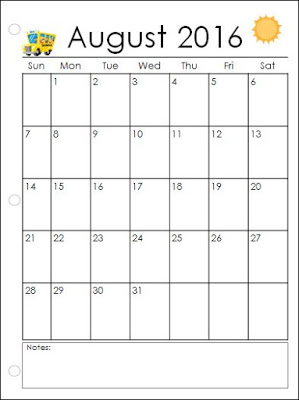 |
Pre-K
Kindergarten Blog
1st Grade Blog
2nd Grade Blog
3rd Grade Blog
4th Grade Blog
WS Tech Teachers
Website maintained by Megan Motlagh of Willard South Elementary.
Last modified 7/18/16 |
||||





 RSS Feed
